

Make Your Own Hitster Cards: Here Is How
An honest guide to doing it yourself, from playlist to printed deck. Plus what usually goes wrong, and the shortcut if you would rather skip the cutting.
How do you make your own game like Hitster?
Hitster is a game by Jumbo with fixed card sets. The quickest way to make your own version with your own songs is with QRSong!, an independent card maker: paste a playlist link from Spotify, Apple Music, YouTube Music, Tidal or Deezer, choose a design, and QRSong! makes a card for every song, with the QR code on one side and the artist, title and checked release year on the other. Print the PDF at home or have the cards delivered, then play with the free QRSong! app for iPhone and Android, which also plays original Hitster cards on any of those five services.
A print-ready PDF starts at $15 and printed cards at $24.50. It is a one-time purchase with no subscription.
Would you rather make them by hand? Pick the songs, look up the correct release year for each one, turn every song link into a QR code, then print the codes on one side of some thick card and the artist, title and year on the other. That takes an evening or two for a hundred songs, and the guide below walks through it step by step.
Playing a music timeline game with your own songs is a lot more fun than a fixed shop deck. Your friends' favourites, the songs from your wedding, the music your dad will not stop talking about. This guide walks through the do it yourself route first, honestly, including the parts that catch people out. Then it covers the faster option, so you can pick whichever suits you.
Would you rather skip the cutting?
QRSong! does every step below from a playlist link in a few minutes, with the release years already checked. Print it at home, or have premium cards delivered. The full do it yourself guide carries on underneath.
Making the cards yourself, step by step
Everything here can be done for free. You need a music account, a QR code generator, a printer and a bit of patience.
Put your playlist together
Start with 80 to 120 songs. Fewer than that and the game is over quickly, many more and the cutting becomes a chore. Spread them across decades, because a timeline game only works when the years are far enough apart to argue about. Mix in songs that mean something to the people playing, they are always the best rounds.
Find the real release year for every song
This is the step people underestimate. Take the year the song was originally released, not the year of the version you are listening to. Check each one against a reliable source rather than trusting the first number you see. Write artist, title and year into a spreadsheet as you go, you will need that list for the printing step.
Turn each song into a QR code
Copy the share link of every song and paste it into a free QR code generator, then download the image. Do this once per song. Keep the file names matching your spreadsheet rows or you will lose track of which code belongs to which song. Use a plain dark code on a white background, decorative codes and low contrast are the usual reason a scan fails.
Lay out the front and the back
A design tool like Canva works well. Make a grid of equal squares, around 65 by 65 mm is comfortable to hold. Put the QR codes on the front sheet, and the artist, title and year on the back sheet in mirrored order, so card one on the front lines up with card one on the back. Getting that mirroring right the first time is rare.
Print, cut and test
Print double sided on card of at least 250 gsm, ideally 300 or more. Thin paper lets the answer show through from the other side, which ruins the game. Use a craft knife and a steel ruler rather than scissors if you want straight edges. Before you cut the whole sheet, print one page and scan a few codes with your phone to check they read.
What usually goes wrong
None of these are reasons not to try it. They are just the things worth knowing before you start.
Remasters give you the wrong year
A remastered or re-released track often carries the year of the reissue, not the original. So a 1975 song shows up as 2011 and your timeline stops making sense. Checking a hundred songs by hand is slow, and it is the single most common reason a homemade deck ends in an argument.
Double sided printing drifts
Home printers rarely line the second side up perfectly with the first. A couple of millimetres of drift means the year on the back belongs to the card next door. Always print a test page and hold it up to the light before committing a whole pack of card stock.
It takes longer than you think
Generating and saving a QR code takes about a minute per song once you include checking the year. For a hundred songs that is a couple of evenings, before any printing or cutting. Worth it as a project, less worth it if you needed the game for Saturday.
Scanning is hit and miss
A generic QR code opens a link in a browser, which then has to hand off to a music app. On some phones that works smoothly, on others it stalls or opens the wrong app. There is no way to control how long a song plays, or to hide the answer while it is playing.
The quicker route: let QRSong! do it
If you like the idea but not the evening of cutting, QRSong! does the same job from the same starting point: your playlist.
Paste a playlist, get a deck
Paste a link from Spotify, Apple Music, YouTube Music, Tidal or Deezer. QRSong! builds a card for every song with the QR code on the front and the artist, title and release year on the back, already laid out and correctly mirrored.
Release years checked for you
Every year is checked by AI and a human team, so remasters do not quietly break your timeline. This is the step that takes longest by hand and it is the one most worth handing over.
Print at home or have them printed
Download a print ready PDF and cut it yourself, or order premium 350 gsm cards that arrive cut and ready to play. Same deck either way, so it is only a question of how much of the work you want to do.
One free app, and more than one game
The free QRSong! app for iPhone and Android scans the cards, plays the full song rather than a short preview, and keeps the answer hidden until you flip. With the QRGames! add-on ($6 per playlist) the same deck also plays Music Bingo, Music Quiz and Timeline, and you can wrap it in a customisable gift box.
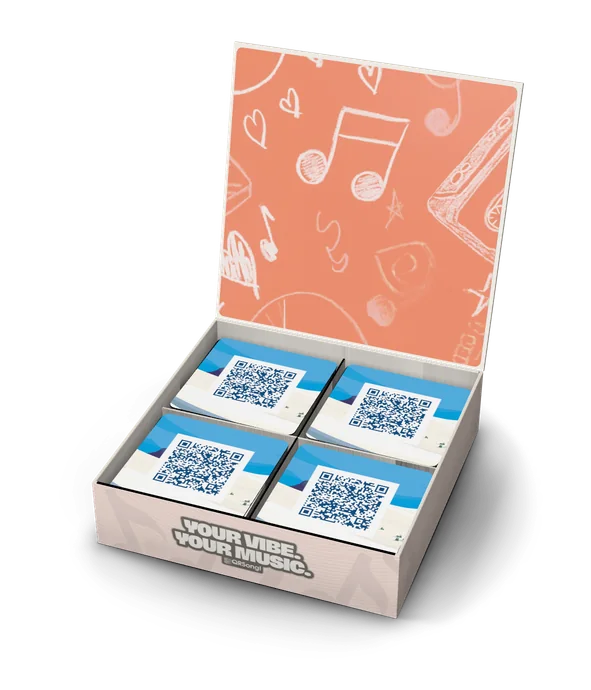

QRSong! is the only card maker that combines a free app for iPhone and Android, printed cards shipped to your door, three add-on games for the same deck, a customisable gift box and an app you can style yourself.
Already own Hitster cards? The free QRSong! app scans those too and plays them on any of the five music services.
Looking for an alternative to Hitster?
Read what is the same and what is differentWondering how the card makers compare?
See QRSong! next to the other toolsReviews
What customers say
Finally a reputable provider, top quality!
"We gave 300 cards including 2 gift boxes for a 50th birthday and it was amazing! ✨ Unfortunately, we almost fell for another dodgy provider and were very glad that everything went smoothly with QR Song! 🫶🏻 The value for money is right and the quality of the cards is great… you can tell that a lot of passion goes into it."
Anna
For great summer evenings with the family
"Our summer evenings with the family became a lot more fun thanks to our personalised Hitster game. Just as easy to play. The printing and delivery went very smoothly. Very happy with this experience;"
kv
Highly recommended
"Really super happy with the cards and their customer service!! After payment, you could still fully personalise the titles, artists + extra info yourself. You could even change songs in the Spotify playlist afterwards, as long as the total number stayed the same as what you paid for. Unfortunately, something went wrong for me when submitting the changes, so they weren't processed properly. But they responded incredibly helpfully by email and still adjusted everything manually. If you want to make your own Hitster, I would absolutely recommend ordering here. The price/quality/service ratio is really great!"
Yvonne van der Haest
Fantastic!
"For our company, we made a Hitster with all our colleagues’ favourite songs. It was quick to make, playing it with QRSong’s own app works like a charm and is great fun. Fantastic service!"
Jesse
Wow
"Wow, what great and fast service! It saves you so much work, you can upload your own Spotify playlist and they turn it into Hitster/QR cards. The years are verified and you have plenty of options to give the design a personal touch. Hats off! Highly recommended!"
Mandy van Meurs
Outstanding service!!!
"Besides that this is just THE BEST GIFT EVER, the service of this company was outstanding. This gift made somebody feel very special. I'll definitely order again!!!"
Esther Spee
Frequently asked questions
Make your deck in a few minutes
Paste your playlist, pick your design, print it at home or have it delivered.


